Great support.
Without the chaos.
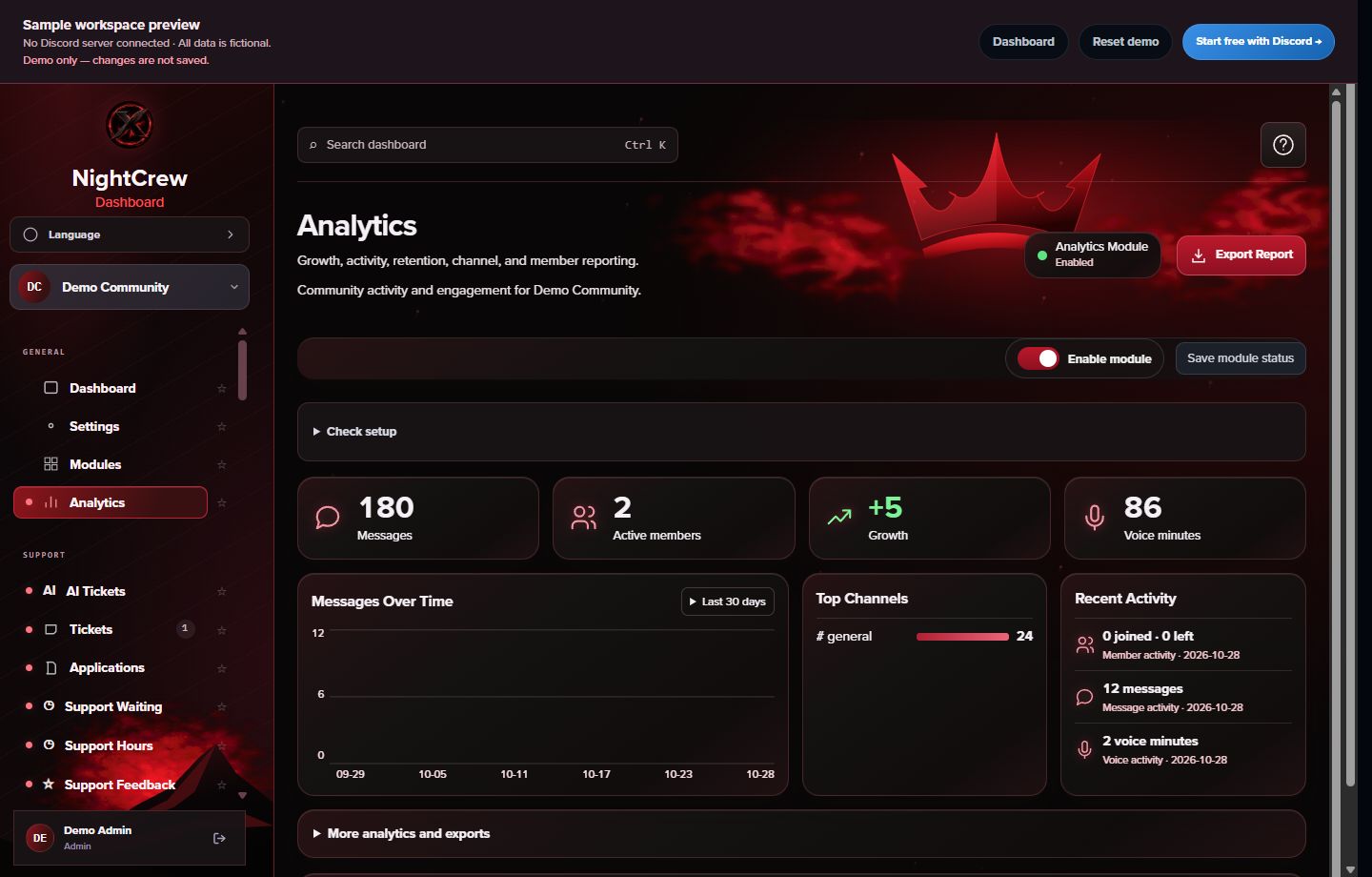
Tickets, applications, and voice support queues that keep your team in sync. Call the next member, choose a room, and see who’s been waiting.
Explore support tools ↗Support your members. Protect your server.
Bring tickets, voice queues, moderation, and automation together in one Discord dashboard.
Compare Free, Premium, and Custom Bot →
THE CREWS BEHIND THE COMMUNITIES
Meet the servers using NightCrew.
Current connections, straight from the bot.
Server names and icons only. Connections refresh about every minute. No member information is displayed.
THE NIGHTCREW DIFFERENCE
Your server shouldn’t need a dozen disconnected tools. Build a connected experience, from a member’s first hello to your staff’s daily workflow.
Tickets, applications, and voice support queues that keep your team in sync. Call the next member, choose a room, and see who’s been waiting.
Explore support tools ↗Bring moderation, verification, anti-nuke protection, and audit logs into one clear workflow.
Connect events to actions. Schedule messages, automate roles, and take repetitive work off your team’s plate.
Music, events, giveaways, polls, and reputation. Make your server a place people want to be.
BUILD YOUR OWN STACK
Choose what your server needs. Each module has its own controls, so your setup stays yours.
Pick your priorities. We’ll suggest a toolkit you can set up one module at a time.
Loading your starter toolkit…
Suggestions only. Nothing is enabled or purchased here. Plan availability and limits are shown in your dashboard.
Loading the NightCrew toolkit…
Want to see it in action? Explore the dashboard demo ↗
FIND YOUR NEXT SETUP
See how NightCrew works, find the right modules, and build a practical starting point.
LATEST UPDATE / 2026-11-07
Explore dedicated setup, comparison, and demo pages, with guides and actual previews for 17 featured modules.
Read this update →SEE YOUR NEXT COMMAND CENTER
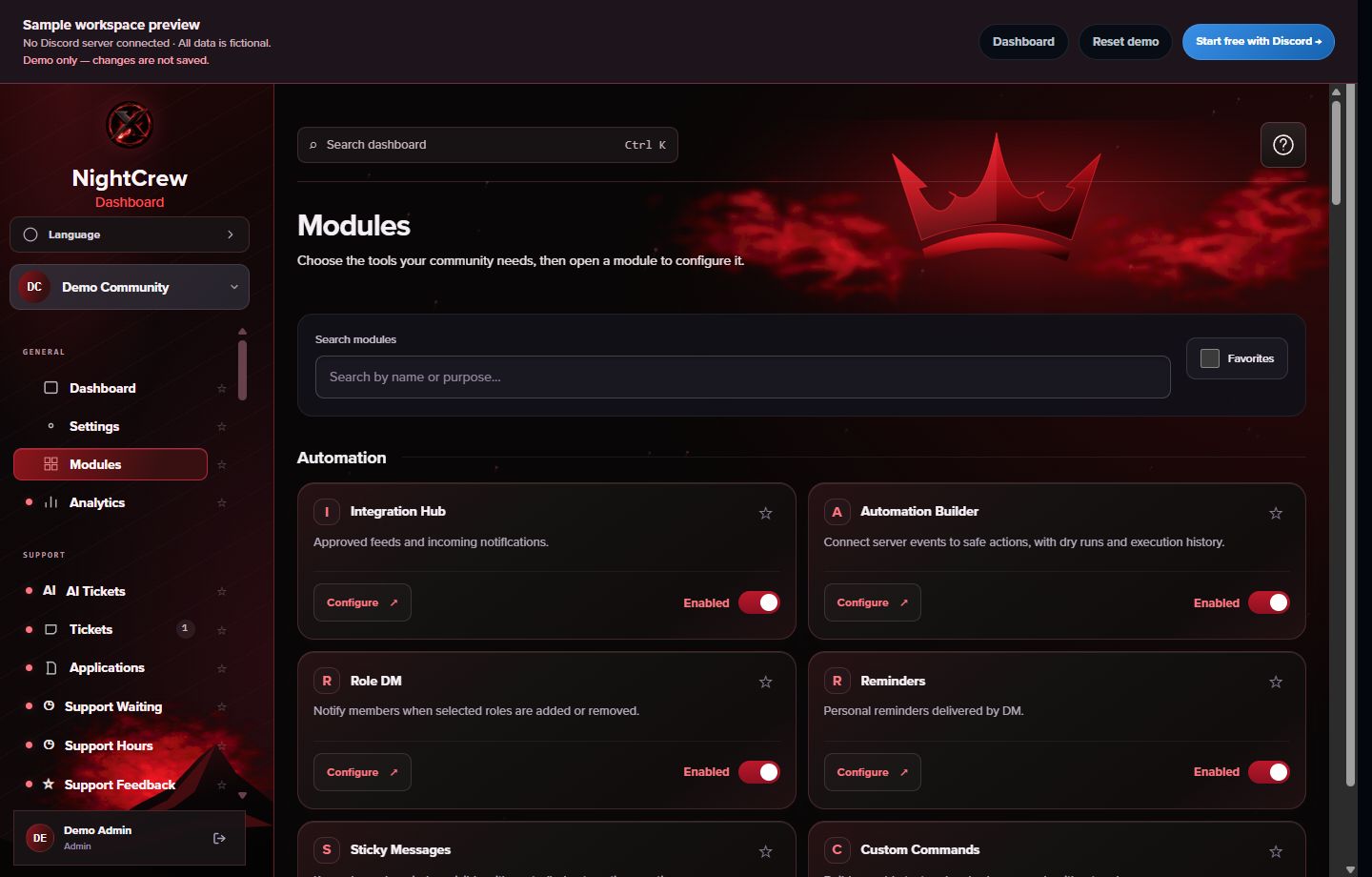
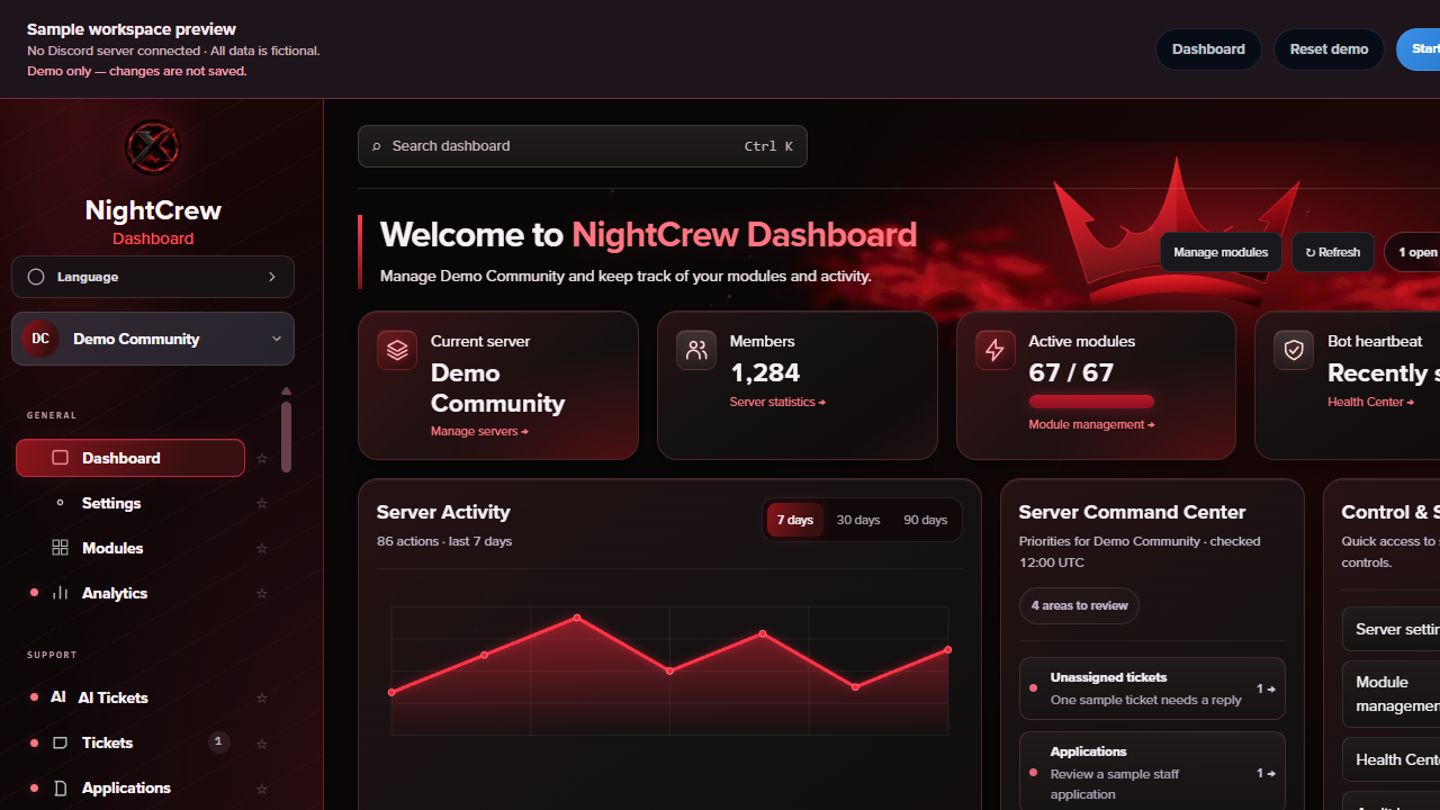
Explore the actual dashboard before connecting Discord. These screenshots use the public demo’s fictional workspace.

FIND YOUR NIGHTCREW
The right tools now. Room to grow when you’re ready.
THE ESSENTIALS
A solid foundation for your community.
Get to know your new toolkit.
MORE POSSIBILITIES
More power for a growing crew.
Everything in Free, plus:
DISTINCTLY YOURS
Your own identity. NightCrew underneath.
Everything in Premium, plus:
Choose your identity and allowances. Keep the same familiar dashboard.
On smaller screens, swipe the comparison to see every plan.
| What you get | Free | Premium | Custom Bot | Lifetime Custom Bot |
|---|---|---|---|---|
| Price in USD | $0 | $6.99 / month | $14.99 / month | $199 once |
| Module access | Core modules | All modules | All modules | All modules |
| Allowances | Starter limits | Expanded | Expanded | Expanded |
| Embed branding | NightCrew | Your branding | Your branding | Your branding |
| Dedicated bot identity | — | — | Included | Included |
| Bot username, avatar & banner | NightCrew | NightCrew | Your identity | Your identity |
| Server coverage | Per server | Per server | Per server | One transferable server |
Know what you’re choosing. Monthly plans recur. Lifetime Custom Bot is a one-time purchase for one transferable server. Review the final price, terms, and server in the dashboard before checkout.
Read the billing guide ↗Prices in USD. Select your server in the dashboard to review plan availability, billing terms, and the final checkout total. Subscriptions are linked to your Discord server.
Sign in with Discord, choose a server you manage, and add NightCrew.
Enable your modules and choose your channels, roles, and preferences.
Let your setup handle the routine, while you focus on your crew.
CLEAR BEFORE YOU CONNECT
Know what you’re connecting, what is public, and where to get help.
Discord handles sign-in. You choose a server you can manage. Module actions also depend on the bot’s Discord permissions and role position.
Understand setup & permissions ↗The public server showcase displays names and icons only. Explore the bot’s Privacy & Data Controls for personal exports, preferences, and optional-data deletion.
Explore data controls ↗Purchases happen through the dashboard’s Stripe checkout. The billing portal handles invoices, payment methods, plan changes, and cancellation.
How plans & billing work ↗Start with a guide or check service status when something isn’t working.
Yes. The Free plan includes core modules and starter allowances with NightCrew branding. You can review the available tools and limits for your server in the dashboard before upgrading.
Premium unlocks all Premium modules, expanded allowances, and branding inside embeds. Custom Bot includes Premium and a dedicated Discord bot application with your own username, avatar, and profile banner.
Choose a plan here to continue to the existing NightCrew dashboard. Sign in with Discord, select the server you want to upgrade, and open Plans & billing. Review the final terms there before completing checkout.
No. You choose the modules your server needs. Each module has its own controls, and disabling a module keeps its saved settings and data.
Plans are attached to a Discord server. Each server has its own configuration and access. Lifetime Custom Bot provides permanent access for one transferable server; manage supported transfers through the dashboard.
Yes. The dashboard demo lets you explore a fictional workspace without connecting a Discord server. Demo changes are not saved. Open the demo ↗
YOUR COMMUNITY. YOUR COMMAND.
Your next chapter starts with NightCrew.
Get NightCrew free ↗HELP SHAPE WHAT’S NEXT
Tell us how you use NightCrew or suggest the improvement your staff needs next.